
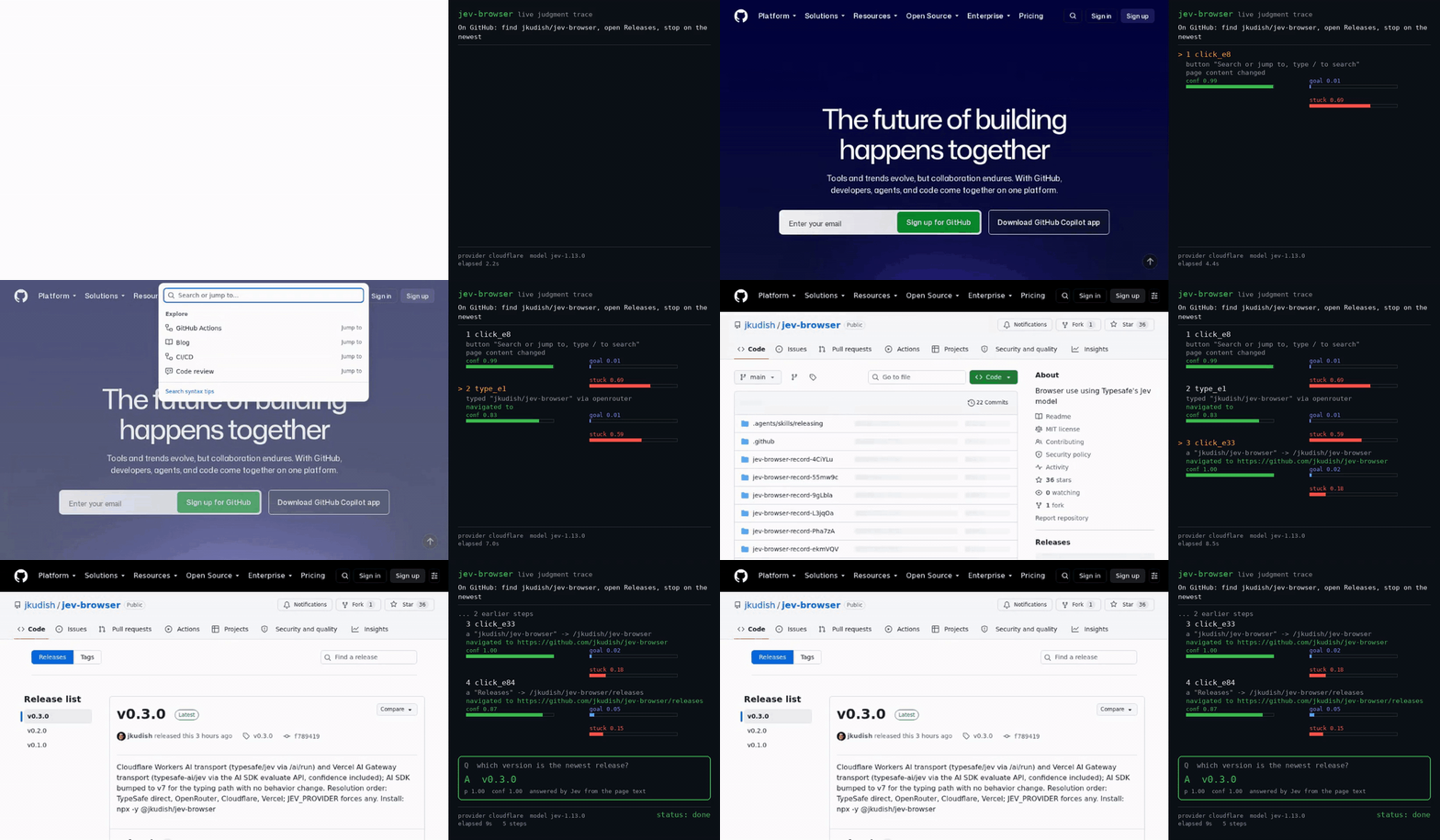
How it uses Jev
Given a task and starting URL, Jev selects one browser action per step from the page’s clickable, typeable, and selectable elements. It also scores whether the goal is met or the run is stuck; code controls budgets, recovery, and stop gates.
What Jev decides
Has the task's goal been achieved, based on the current page and history?
The navigation task, current page observation, and action history for the current browser step.
App workflow
- Start a run
Provide a task and URL through MCP, CLI, or the `navigate` library function.
- Inspect the page
Read the current page and enumerate available clickable, typeable, and selectable elements.
- Choose and execute a step
Ask Jev to select a page action, then let the browser code execute it and repeat within configured limits.
- Stop and report
Use goal and stuck scores plus code-owned stop gates, then return the final page and run artifacts.
Why it is interesting
It separates bounded action selection from the browser-control loop, and returns a trace, final page, console errors, and screenshot through MCP, CLI, or library entry points.